

Measure in 3D
Switch to the photorealistic 3D map and click on the roof itself. Each side shows its length along the slope and its angle, and the area is the surface you'll cover, not just its footprint.
Learn moreAreas, distances and cost estimates on satellite and 3D maps, for landscapers, farmers, surveyors and contractors. Outline the job on the map, see what it costs, and share it with your client.
Free for 30 days. No card needed.
Keep every job in its own project, sort projects into folders, and open them from any device. Start the next job from a template of the last one.
Learn moreHold down Shift, or right-click the map, to turn on the crosshair and place each point exactly. The area, the perimeter and every side's length update as you click.
Learn moreLock a polygon when it's finished and start the next one. Keep going until every area and distance of the job is on one map.
Learn moreShare a project with a link, or invite colleagues and clients by email. Choose who can edit and who can only look; nobody needs an account to look.
Learn moreEvery change is saved as you work, so a project is the same on every device. On a shared project, you see your colleagues' changes the moment they make them.
Learn more
 iPhone and iPad app
The Measure Map Online app is free on the App Store. Measure on the spot, add photos even without a connection, and find it all on your computer when you're back.

Measure the roof in 3D, price the work, let AI find what you're looking for, and hand over the report.
Switch to the photorealistic 3D map and click on the roof itself. Each side shows its length along the slope and its angle, and the area is the surface you'll cover, not just its footprint.
Learn moreKeep your materials with their prices: tiles, turf, paving, fencing. Put them on a shape and the estimate follows its area or length, with the material drawn on the map.
Learn moreAsk for roofs, pools, lawns, parking bays or anything you can see from above. AI outlines every one on the screen with its area, and you keep the ones you want.
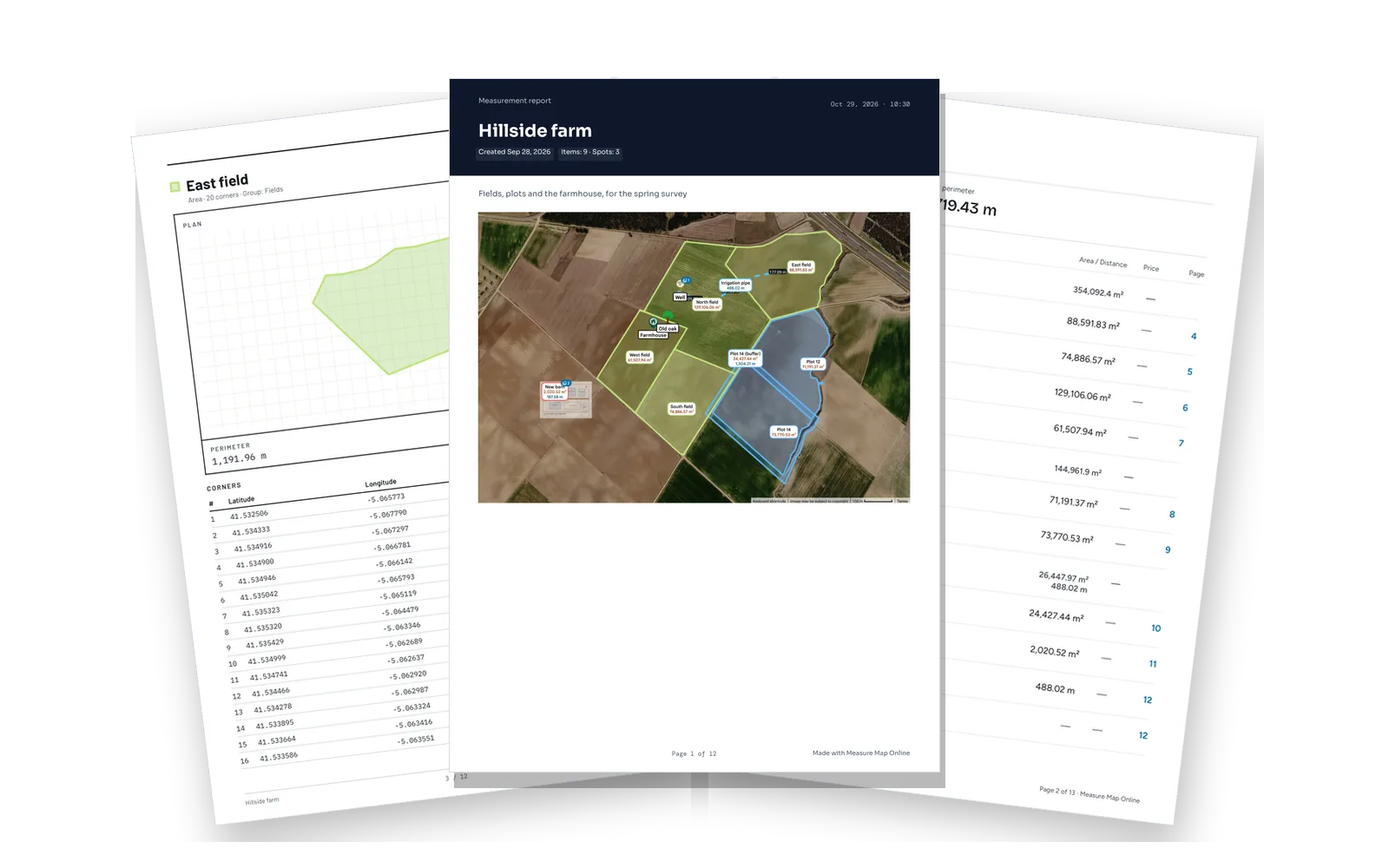
Learn moreA PDF report with the map, every measurement, your photos and the estimate, in three designs. Or take the data to other software.
A sample project opens in this window, with the same drawing and measuring tools as the app. Nothing you draw is saved.
Official boundaries, your own files and plans, site photos, and the people you work with.
See official property boundaries in over 60 countries, and turn a parcel into a polygon in one step.

Bring in shapes from KML, KMZ, GeoJSON, GPX or Measure Map files, and see what came in and what was left out.

Lay a site plan, a drawing or a drone photo over the map, line it up with the imagery and measure on it.

Attach photos to shapes, corners and spots, see them all in one gallery, and put them in your reports.

On the Enterprise plan, group colleagues into teams, give a team its projects in one step, and draw the area each team covers.

Leave notes at places on the map, and let clients comment on a project through its link.
Every account starts with a 30-day free trial of Pro. No card needed.
For one person
$16.99 per month
or $179.99 a year Save 11%
Every measuring tool in the app, for one person.
For businesses that quote
$100 per month
50 guest projects a month included
then $0.50 per guest project
+ $0.50 per guest project
Visitors to your website measure their own job and ask you for an estimate. How it works
For teams
$500 per month
5 users included
or $5,500 a year Save 8%
One organisation for your whole team, on one bill.
Each extra user: $15.99 a month or $169.99 a year
For agencies, resellers and firms
Pay for and manage your clients' plans from one account. Invite them, choose their plan and seats, and get an invoice for each client. Pricing on request.
Prices are before tax. You pay in euros in Europe and in US dollars everywhere else; the amounts are the same. The checkout always shows the current price, and plans may change: see our Terms.