
Open Guest
Your customers measure the job. You send the quote.
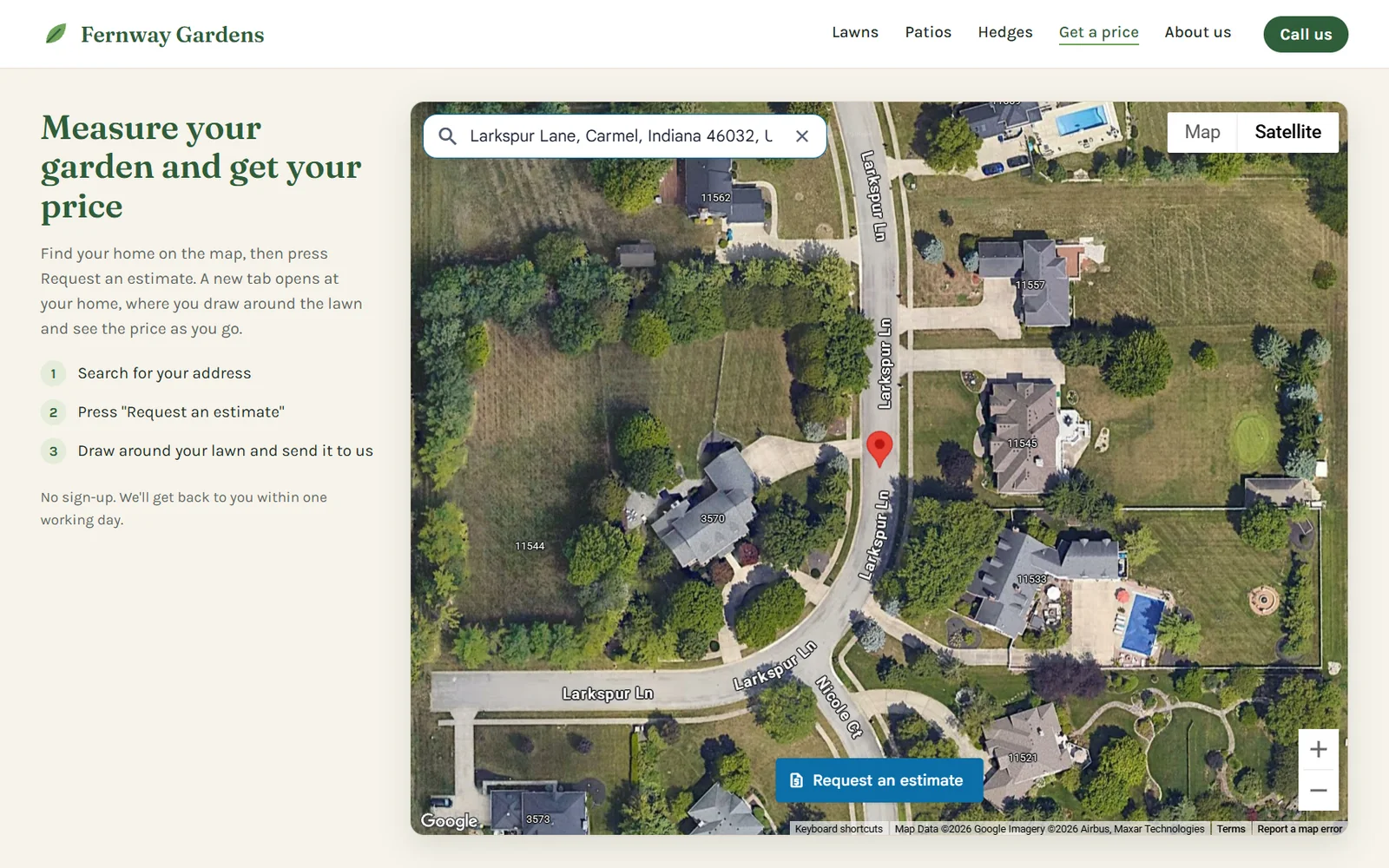
Customers find their home from your website, outline the lawn, roof or driveway, see your price as they draw and send you the request. No account for them, no site visit for you.
Your customers
What your customers do
Four steps, on their phone or computer. They never create an account.
Find their home on your website
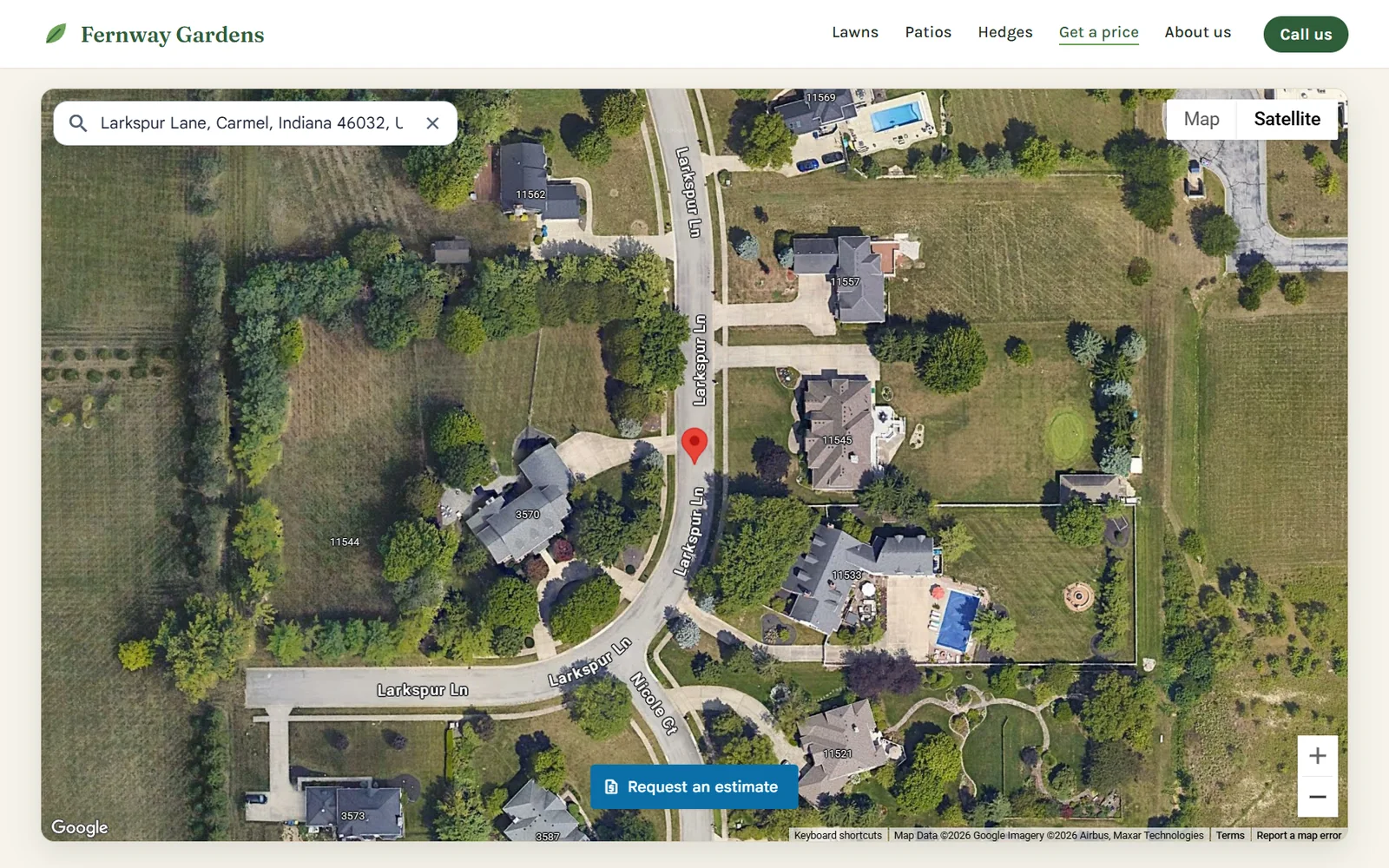
A map in your page, or a button that opens one. They type their address and see their home on the satellite picture.
Outline the job and see the price
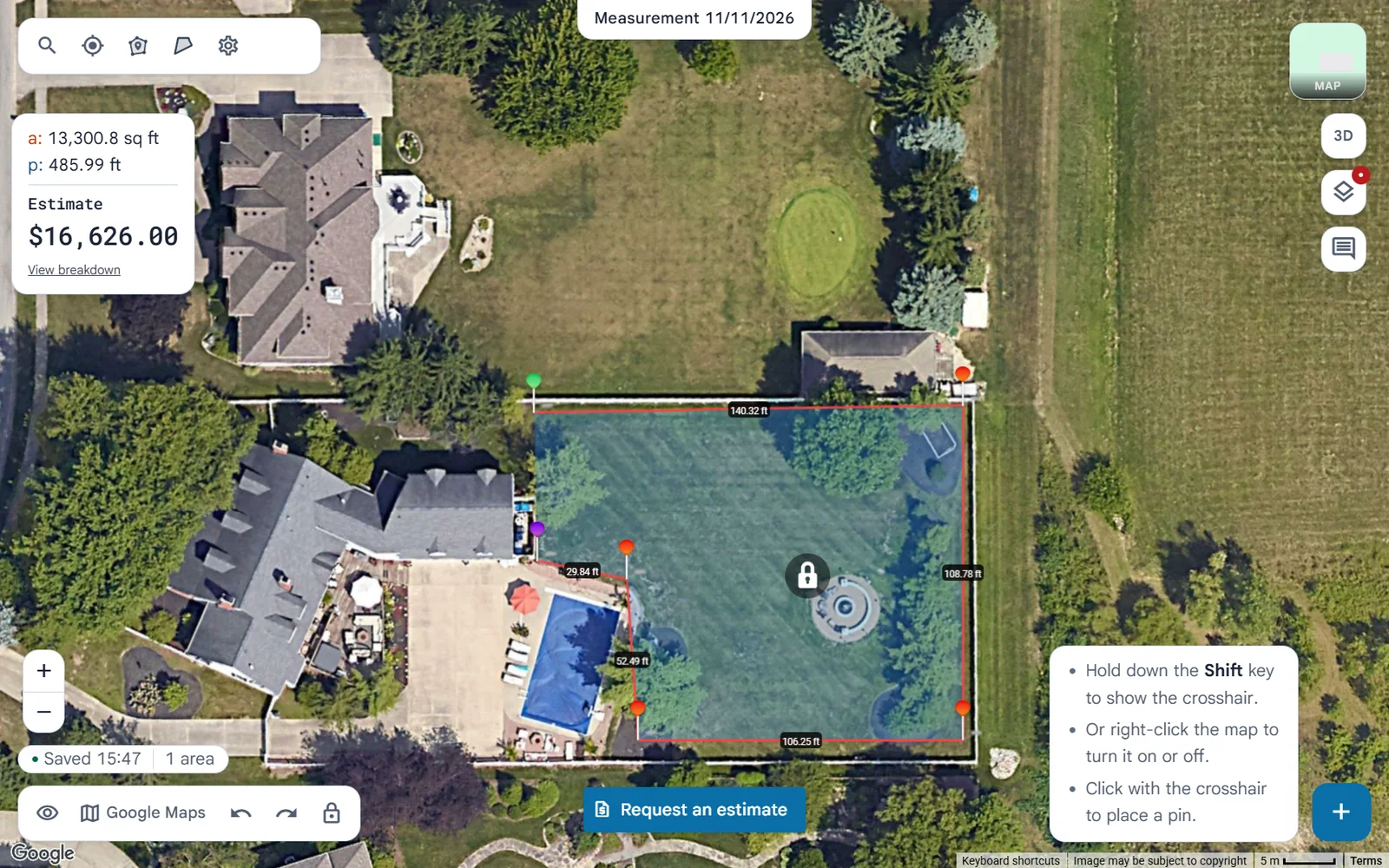
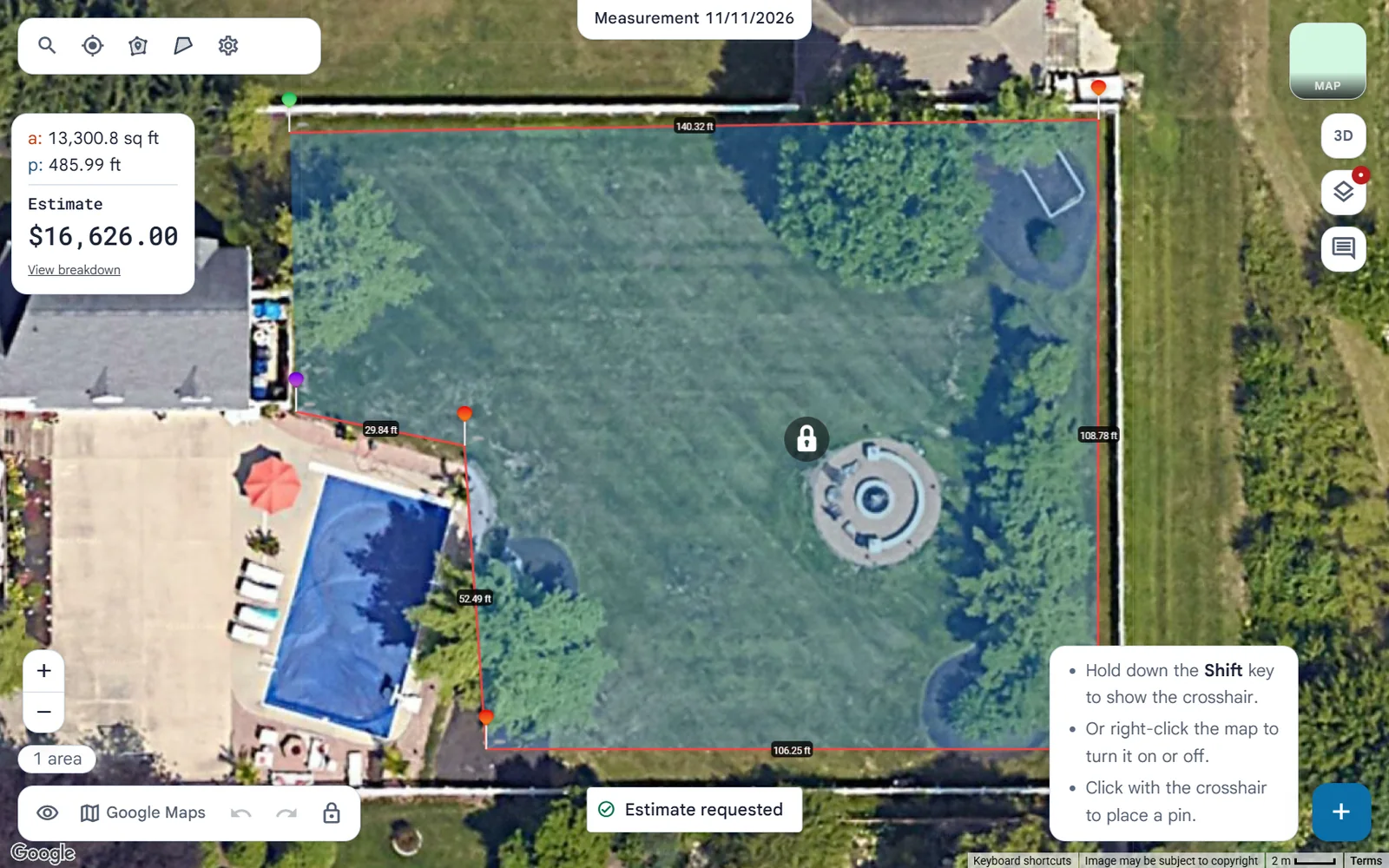
Request an estimate opens the measuring map in a new tab, right at their home. They draw around the lawn, roof or driveway and see your price as they go.
Send you the request
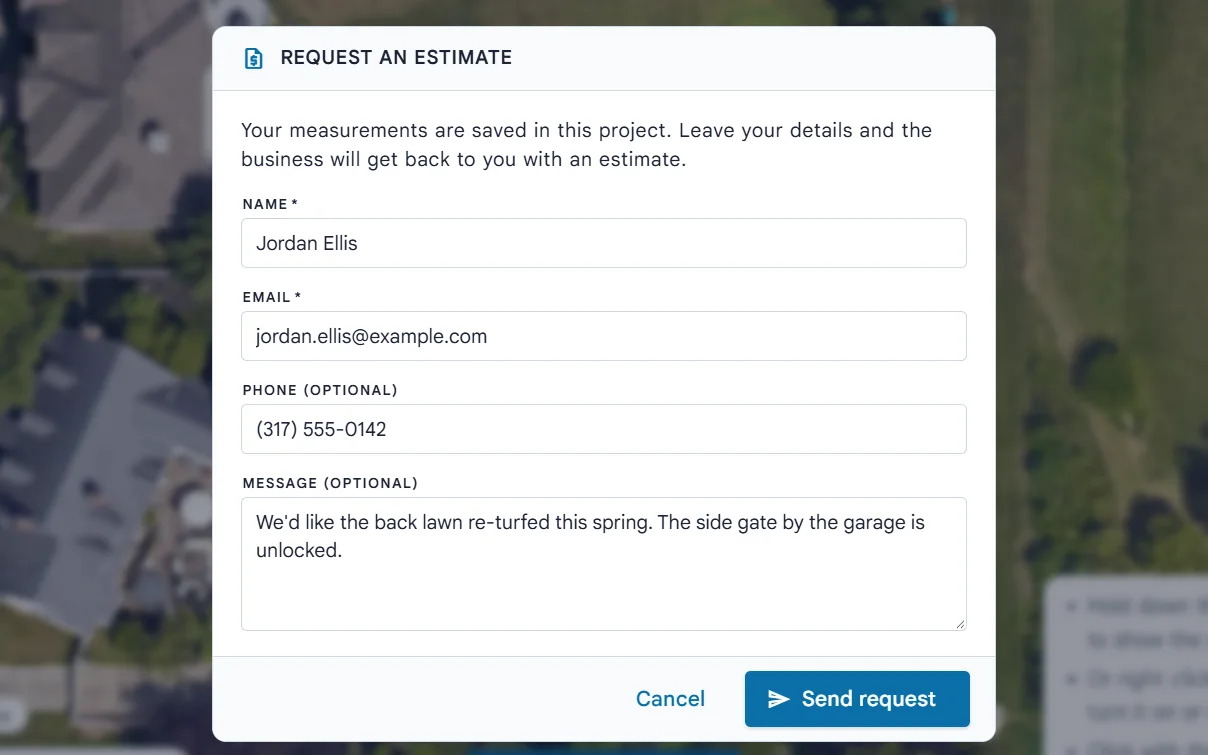
Their name and email, and a phone number and message if they like. Their measurements come with it.
Hear that it arrived
An email tells them you have their request. You get it at the same moment.
You
What you do
Set it up once, then answer requests as they come in.
Add your prices
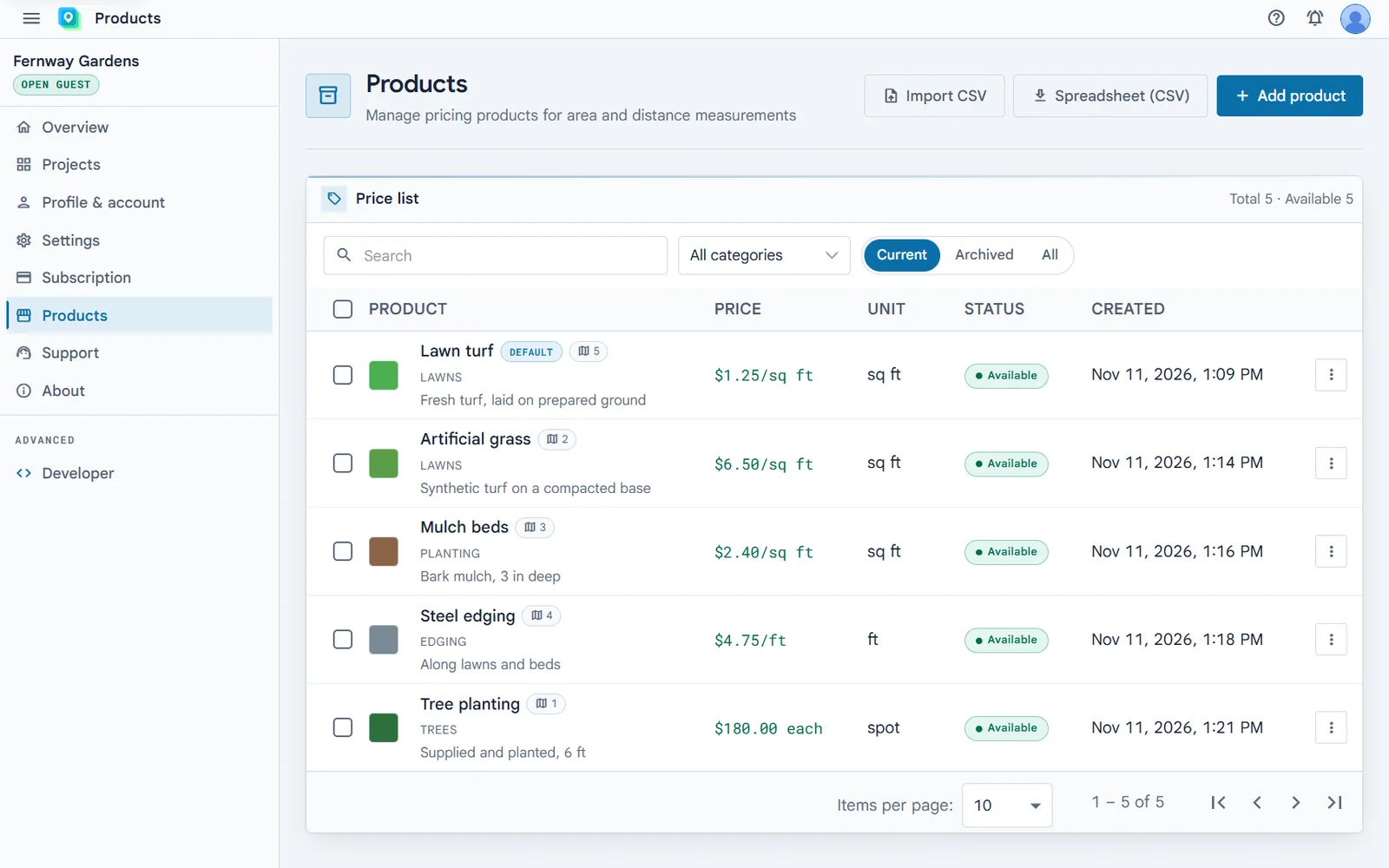
Your products, priced by area, length or item. Customers pick from them, and the one you set as default prices whatever they draw.
Learn more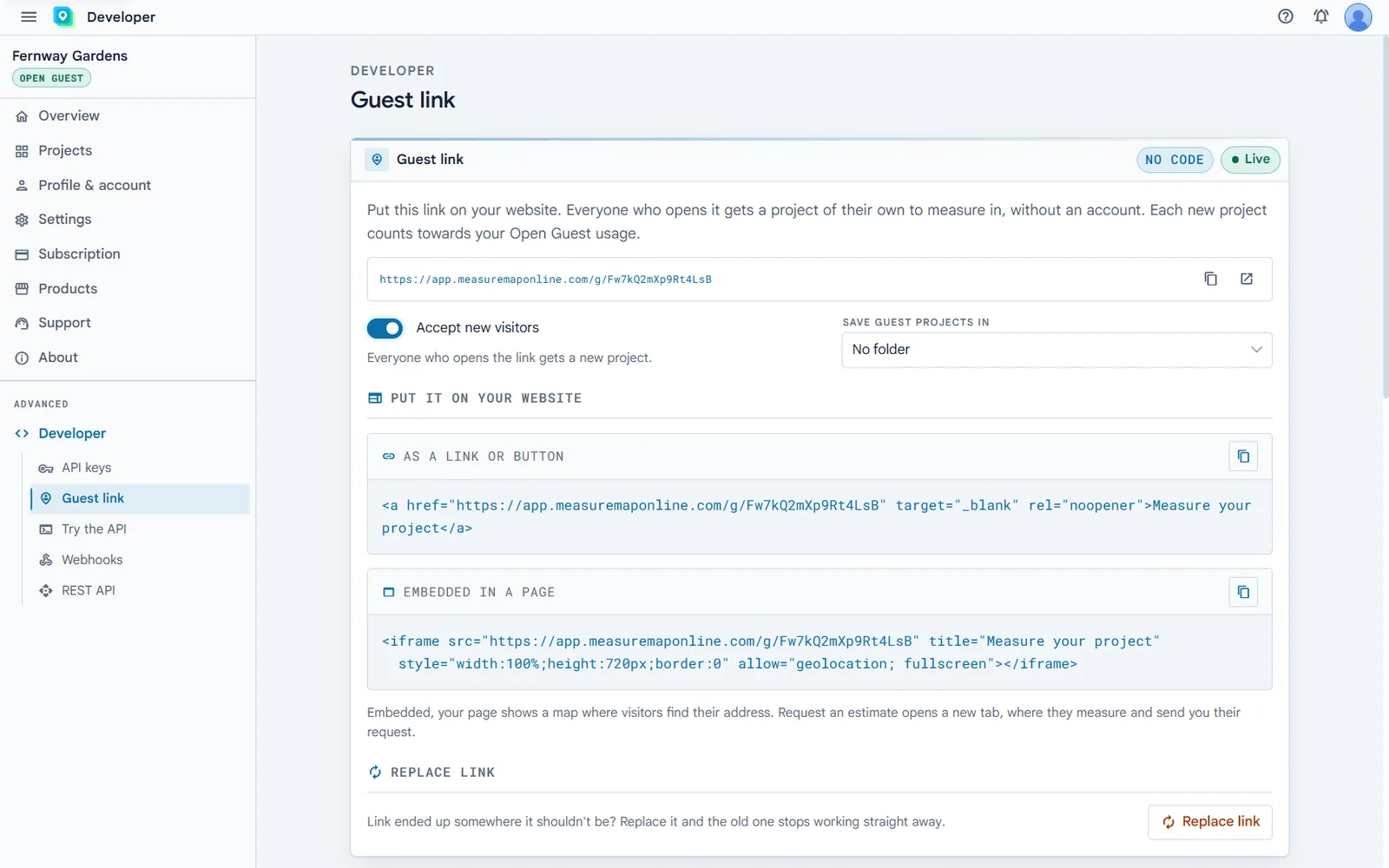
Put your link on your website
Create your guest link in one click and paste it as a button, or as a map in your page. Website builders take it as custom HTML.
Learn more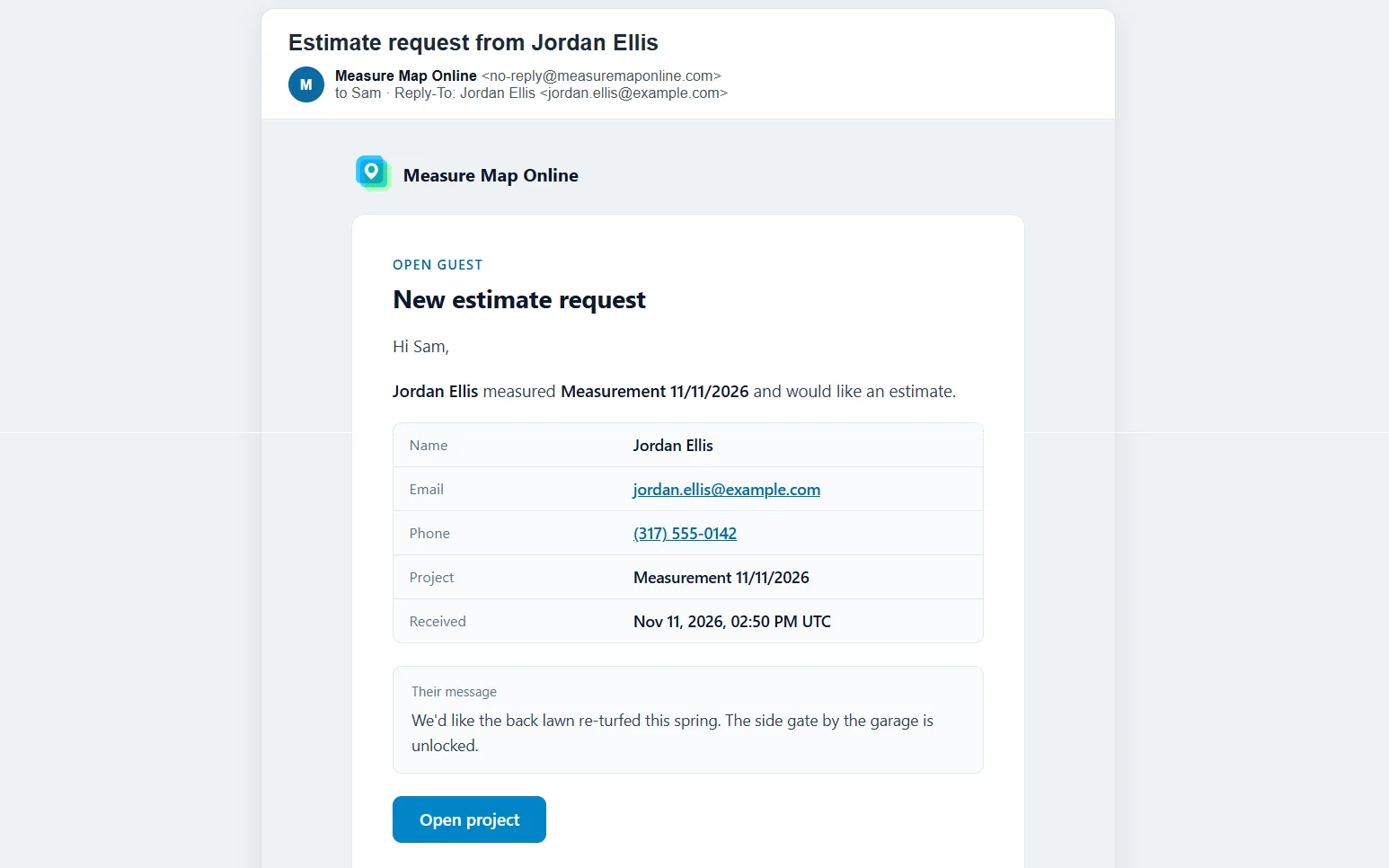
Get the request
An email with the customer's details, which you answer by replying, and a notification in the app.
Learn more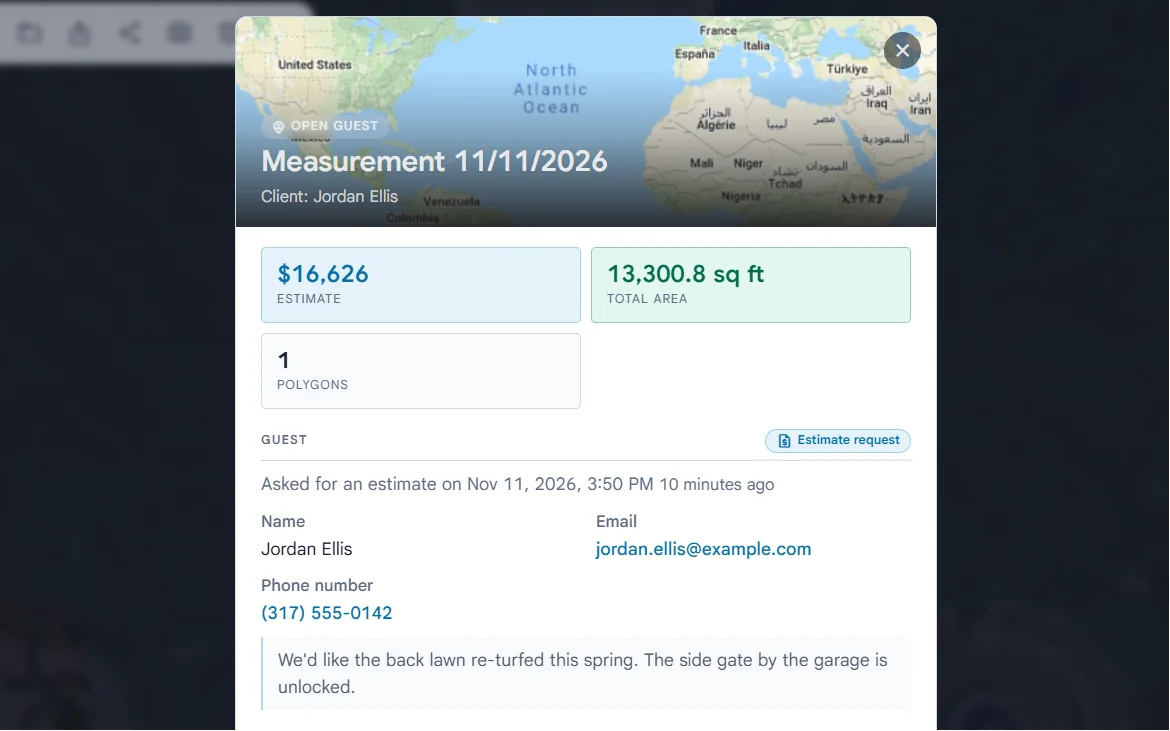
Quote from real measurements
Open their project: the shapes they drew, the areas and the price. Adjust it if you need to, and send your quote.
Learn more
What it costs
$100 per month
50 guest projects a month included
then $0.50 per guest project
+ $0.50 per guest project
A guest project starts when a customer opens your link, or presses Request an estimate on the map in your page. Set a monthly budget and it never goes over, and pause your link whenever you like.
Get startedQuestions owners ask
Do my customers need an account?
No. They measure and send you the request without signing up for anything.
Do I need a developer?
No. You copy a link or a short piece of code from your dashboard and paste it into your website. If you have a developer, they can also start guest projects from your own quote form with the API.
Can customers use the app for free?
They get the measuring and your products, nothing more: they can’t load, save or export files, take screenshots or change your prices.
What if a customer comes back?
On the same device, within 60 days, they carry on with the project they started instead of opening a new one.